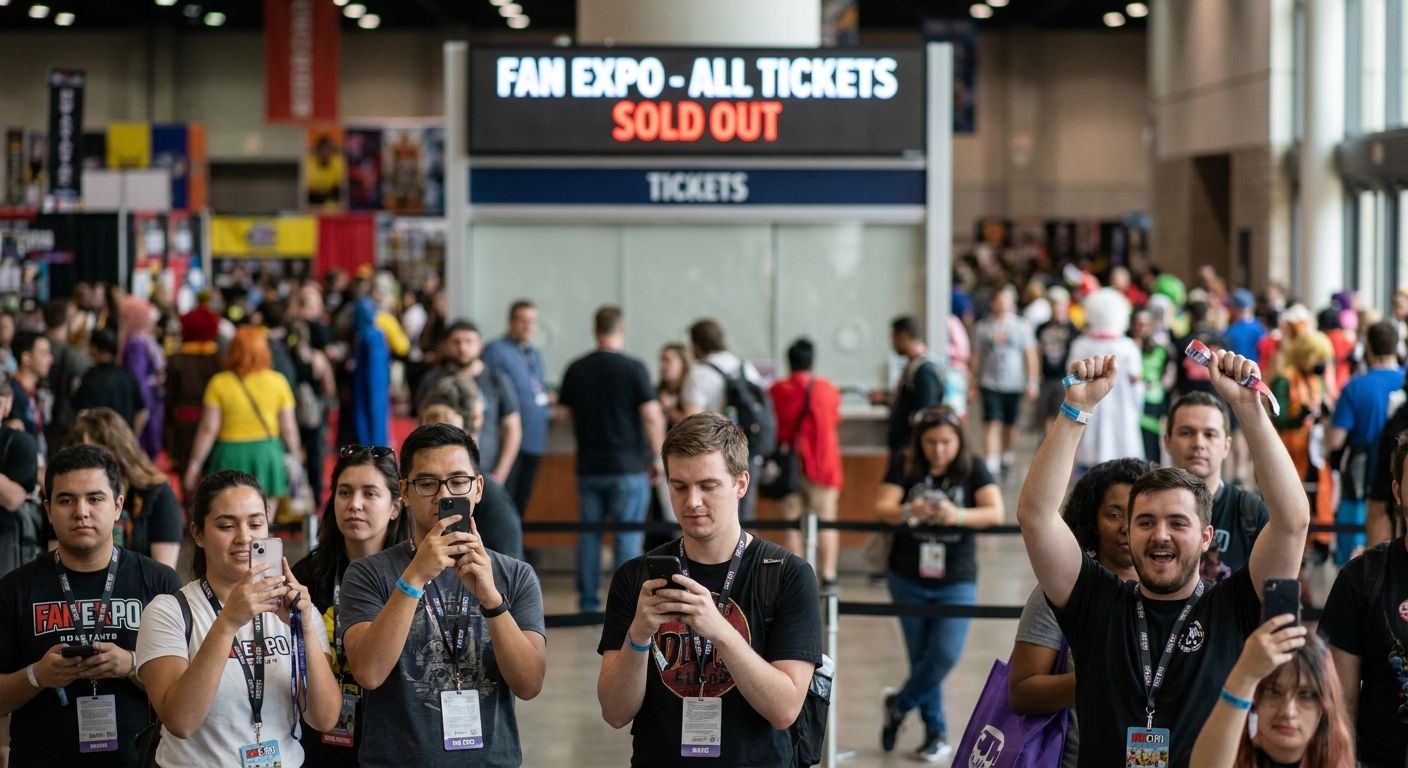
Fan Expo tickets for the biggest dates (Saturday, the celebrity panels, photo ops) disappear fast, and most people find out the hard way — refreshing a sold-out page the week of the show. This guide breaks down the exact sequence that gets you a seat before the good tickets vanish.
- Fan Expo tickets sell out fastest for Saturday passes and celebrity photo ops — buy those first, not last.
- Set a calendar alert for the exact on-sale minute; single-day passes for popular guests can move within days.
- Weekend and four-day passes typically outlast single-day tickets, so they're the safer buy if your schedule is flexible.
- Track the event on a platform like Gomry to catch date changes and added showtimes before they hit social media.
Why this matters
Convention organizers release tickets in waves, and each wave is smaller than the last. The first wave usually includes weekend and four-day passes; single-day tickets for the highest-demand day follow, and by the time a show is trending on social media, the cheap tiers are already gone.
Miss the first 48 hours of an on-sale and you're often left choosing between a pricier remaining tier or no ticket at all. That's the entire problem this guide solves: getting you in front of the right tickets at the right minute, not after the fact.
What you'll need
- A confirmed on-sale date and time — not just "tickets on sale soon," the actual hour and time zone
- A payment method saved and ready — card details pre-filled cuts checkout time by 30-60 seconds, which matters when inventory is capped
- A backup device — phone plus laptop, both logged in, in case one browser session times out
- A calendar alert set for 15 minutes before on-sale, not the moment it opens
- An event-tracking tool or app — browsing local events on Gomry surfaces schedule updates and added dates for shows in your area without you having to check the organizer's site daily
The steps
1. Confirm the exact on-sale date and time zone
Organizers announce on-sale dates weeks ahead, but the listed time is almost always in the convention's local time zone, not yours. Cross-check the announcement against the venue's city, not the promoter's headquarters.
Getting this wrong is the single most common reason people miss the first wave — they show up an hour late because they assumed Eastern time when the show runs on Pacific. Expected outcome: you know the precise minute, in your own time zone, that tickets go live.
2. Decide your tier before tickets open
Don't shop live. Decide in advance whether you're targeting a single day, a weekend pass, or the full four-day pass, and know your second choice if the first sells out mid-checkout.
Saturday single-day tickets are consistently the first tier to sell out at large Fan Expo events because that's when headline panels and the busiest show floor hours land. If Saturday is non-negotiable for you, treat it as tier-one urgency and buy within the first hour of on-sale.
3. Create your account and save payment info the day before
Ticketing platforms lock you out of speed if you're creating an account, verifying an email, and typing a card number while the clock is running. Do all of that 24 hours ahead.
A saved payment method plus a verified account can cut your checkout window from two minutes to under 30 seconds — the difference between getting the ticket and hitting "sold out" mid-transaction. Common mistake: waiting until the on-sale page loads to start an account signup.
4. Open the purchase page 15 minutes early on two devices
Have the checkout page loaded and refreshed on your phone and a laptop simultaneously. If one device throws an error or gets queued behind traffic, you still have a live shot on the other.
High-traffic on-sales frequently route buyers into a virtual waiting room. Being logged into two devices doubles your odds of landing a low queue position. Expected outcome: you're in the transaction flow within the first two minutes of the sale opening.
5. Buy the backup tier immediately if your first choice is gone
If Saturday single-day is already unavailable when your queue position clears, don't spend five minutes deciding — grab the weekend pass or your pre-decided second choice immediately. Passes covering multiple days sell out slower because fewer people commit to the higher price point up front.
Hesitating here is the second most common way people end up with nothing. Common mistake: refreshing repeatedly hoping Saturday tickets reappear instead of taking the available tier.
6. Set up resale and waitlist alerts as a fallback
If every tier for your target day sells out, official resale queues and organizer-run waitlists open closer to the event as some buyers cancel or upgrade. Sign up the same day the primary on-sale ends, not the week of the show.
Waitlist spots move fastest in the final 10-14 days before an event, when travel plans change and people release their tickets back.
7. Track for added dates, VIP releases, and price tier changes
Organizers sometimes release a second wave of tickets when a show adds a guest, extends hours, or opens a new tier closer to the date. These second releases get almost no promotion and sell out within hours because the audience checking back is small but highly motivated.
Following the event listing directly — rather than relying on a single social post you might miss — is what catches these. Expected outcome: you get first access to any add-on inventory before it's announced broadly.
Track Fan Expo dates near you
Browse local expos and get notified when new dates or ticket tiers go live.
Troubleshooting
- Checkout freezes at payment step: Close the tab, reopen from a fresh link, and re-enter the queue rather than hitting refresh repeatedly — refreshing mid-transaction often forfeits your queue position.
- Ticket page shows "sold out" but the event is weeks away: That specific tier is gone, not the event. Check for remaining tiers (weekend, VIP, multi-day) before assuming the show is fully sold.
- You're stuck in a waiting room with no visible position: This is normal for high-demand on-sales in 2026 — stay on the page rather than reloading, since reloads can reset your place in line.
- Confirmation email never arrives: Check your account's order history on the ticketing platform directly before assuming the purchase failed; duplicate purchases are harder to reverse than a missing email.
- Price looks different from what was advertised: Fees are typically added at checkout, not baked into the listed tier price — factor an added percentage into your budget before you commit to a tier.
- You bought the wrong day by mistake: Contact the ticketing platform's support immediately; exchange policies vary by organizer and get harder to invoke closer to the event date.
Tools and resources
- A local event discovery and ticketing platform like Gomry to browse expos, art shows, and other events near you in one place
- Two internet-connected devices for the on-sale window
- A saved payment method and verified account created ahead of time
- Calendar alerts set for both the on-sale time and any resale/waitlist windows
- Organizer email list or event page notifications for second-wave releases
What to do next
Getting the ticket is only half the job — the other half is knowing which day and tier actually fits your schedule so you don't end up reselling a pass you can't use. If you're the one organizing a local expo, art show, or fitness event instead of attending one, the mechanics of avoiding a sellout crunch (and using it to your advantage) are covered in how to promote a local event and sell more tickets.
FAQ
Why do Fan Expo tickets sell out so fast?
Fan Expo tickets sell out fast because organizers release inventory in tiers, and the highest-demand day (usually Saturday) has the smallest allocation. Once that tier is gone, remaining tickets shift to pricier weekend or four-day passes.
What's the best day to buy Fan Expo tickets?
The best time is within the first hour of the official on-sale, before the target tier sells out. Waiting even a day can push you from a single-day pass into a weekend or four-day option.
Is a weekend pass better than a single-day ticket?
A weekend or four-day pass is the safer buy if your schedule is flexible, since these tiers typically sell out slower than single-day Saturday tickets. They cost more but reduce your risk of missing out entirely.
How much do Fan Expo tickets cost in 2026?
Pricing varies by city and tier, so check the specific event listing for current 2026 rates rather than relying on last year's prices. Fees are usually added at checkout on top of the listed tier price.
Can I get Fan Expo tickets after they sell out?
Yes, through official resale queues or organizer waitlists that typically open as the event date approaches. Sign up for these the same day the main on-sale sells out rather than waiting until the final week.
Do Fan Expo events add more tickets later?
Some events release a second wave of tickets when a guest is added or a new tier opens, and these sell out within hours because few people are watching for them. Following the event listing directly is the fastest way to catch an add-on release.
What time zone are Fan Expo on-sale times listed in?
On-sale times are almost always listed in the convention venue's local time zone, not the promoter's headquarters. Double-check the city before setting your alert to avoid missing the sale by an hour.
Should I buy Fan Expo tickets on two devices?
Yes, having the checkout page open on both a phone and a laptop doubles your chance of landing a good queue position if one device errors out or gets stuck in a waiting room.
One last thing
The tickets that vanish first aren't always the ones people expect — VIP and celebrity photo-op add-ons often outsell general Saturday admission within the first hour, because the buyer pool for those is smaller but far more decisive. If a guest announcement drops close to the show, check the add-on tiers before assuming general admission is your only risk.